Visual reference
Use Pixel mode when matching the browser appearance matters more than editing individual elements.
Real URL import · Editable mode
This comparison uses LINEA, an image-led jewelry storefront with editorial photography, product grids, typography, and long-form sections. The Figma result below came from the same page at the same desktop viewport, with no visual retouching.
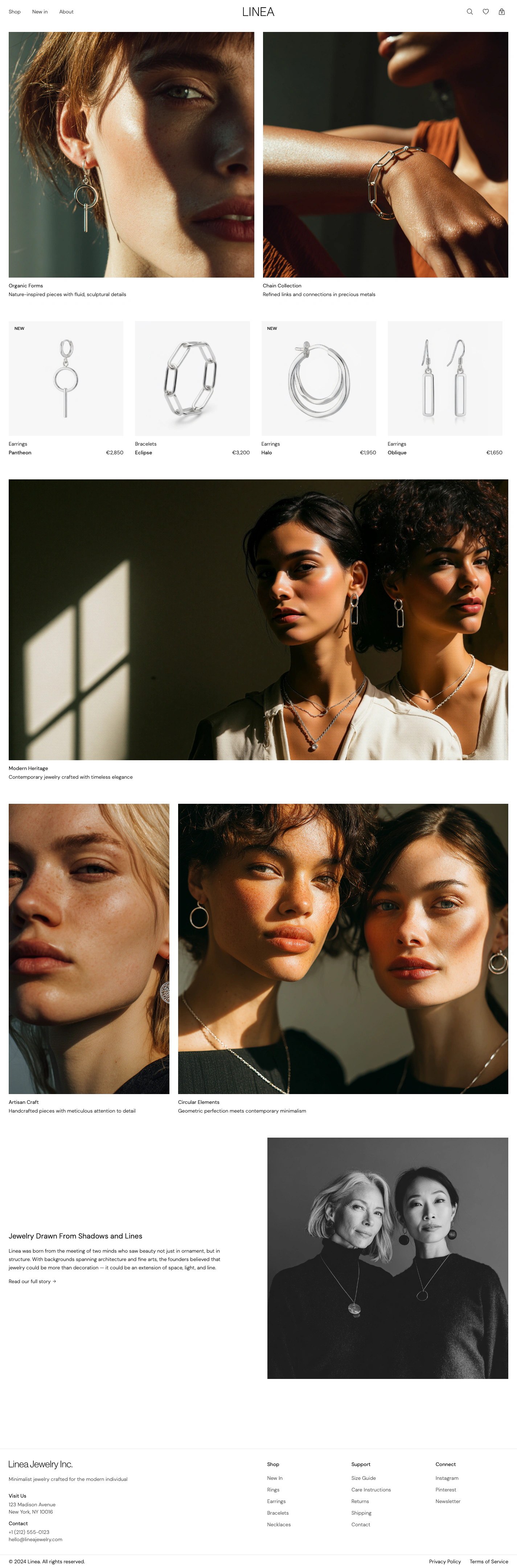
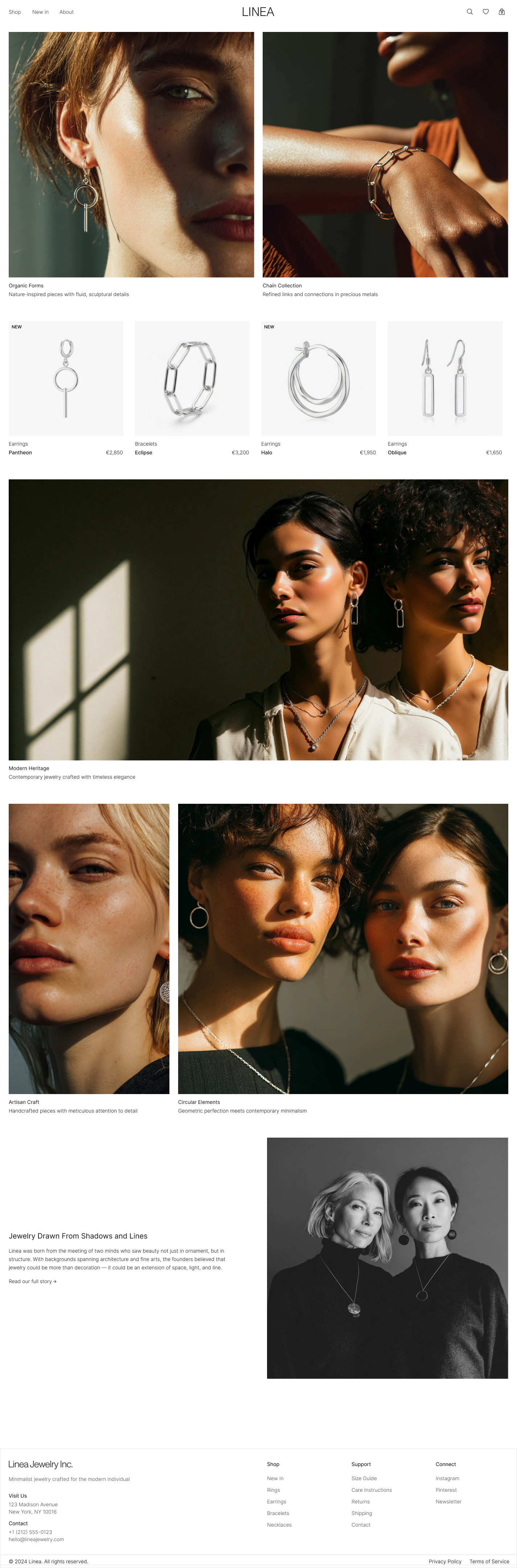
The previews use 1425 px source images and are displayed below their native width. The previous page enlarged sub-300 px thumbnails, which caused the blur; these previews do not upscale.
Reproducible case
The original LINEA page is published as a read-only, noindex test fixture. It uses the same build and 1425 px viewport as the browser capture above. The links below use faster high-quality WebP previews; the original byte-verified PNG URLs and SHA-256 values remain recorded in the machine-readable evidence manifest.
Verification: on July 16, 2026, Figma node 2021:2 was exported again through Figma MCP. Its 1425 × 4321 PNG matched the published output byte for byte. The deployed input also matched the published browser capture byte for byte. Full SHA-256 values and known differences are recorded in the manifest.
Evidence summary
Editable mode produced a recognizable, workable Figma version of this LINEA storefront, but it was not browser-identical. At the same 1425 px desktop viewport, the import contained 90 selectable layers, including all 16 visible image layers and 57 text layers. The two-image hero, product grid, section order, borders, backgrounds, and editorial photography remained visually aligned enough for inspection and redesign work. The comparison also exposes real differences: an available Figma font replaced the browser font and changed some navigation wrapping, image-fill crops shifted slightly, and responsive rules, links, hover states, and carousel behavior were not transferred. Pixel mode is the better choice when the captured appearance must remain lossless as a raster reference. Editable mode is a best-effort conversion for changing copy, images, colors, and layout. The side-by-side previews above are unretouched, and both full-page source files are linked for inspection.
Method: same page, same viewport, no visual retouching. Reviewed by html2design engineering.
Preserved in this import
Differences to expect
A closer look
This crop shows the transition from the hero into the four-item product grid. It is included at a controlled height so the page remains easy to scan.
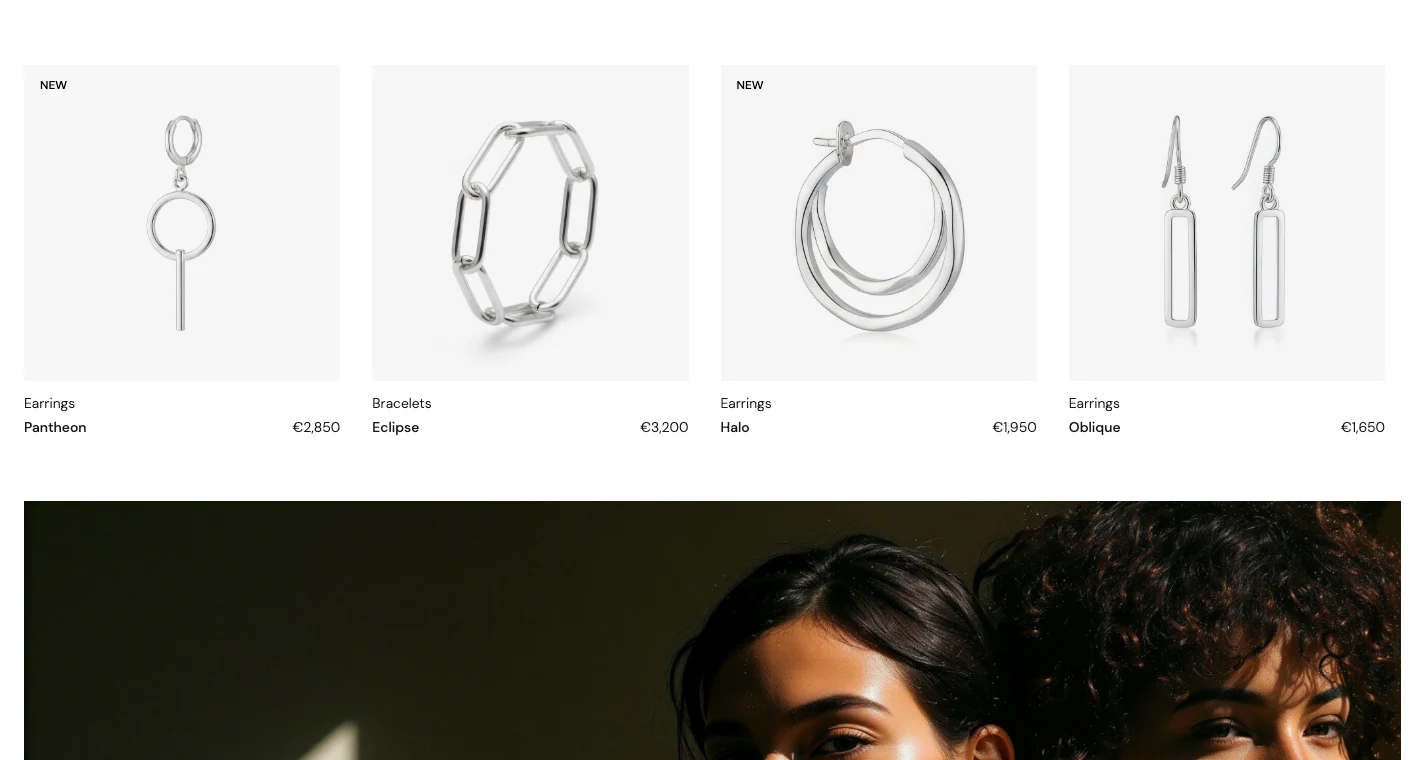
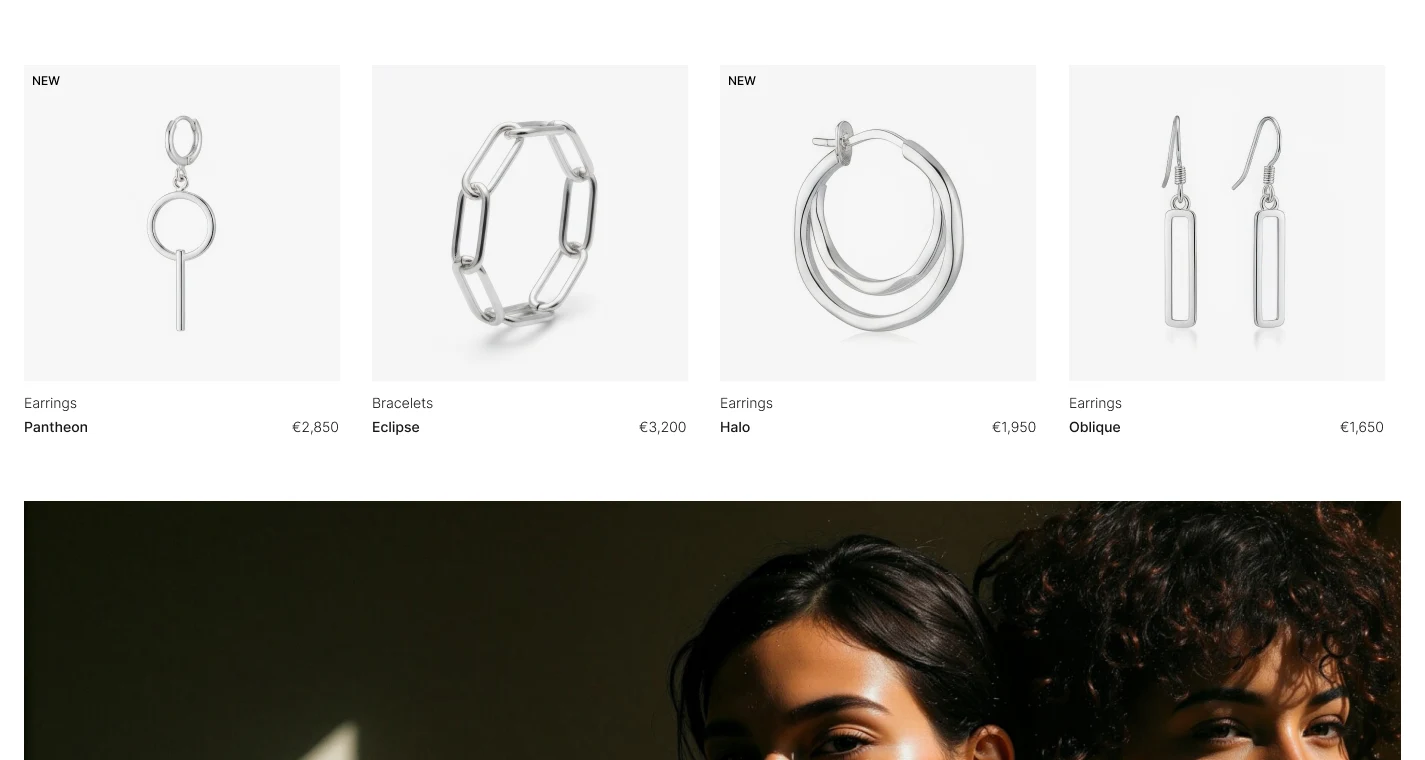
Choose by intent
Use Pixel mode when matching the browser appearance matters more than editing individual elements.
Use Editable mode when you need to rewrite text, replace images, explore hierarchy, or rearrange the page.
Use the import as source material, then rebuild key patterns with Auto Layout, Components, Variables, and interactions.
Import the page you actually plan to redesign. Check its fonts, image crops, complex effects, and long sections before choosing Pixel or Editable mode.